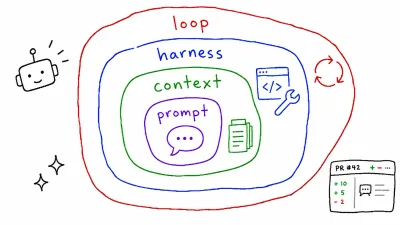
Running Auto Research in Claude Code — A Bash-Driven Experiment Loop
-
 Jason Yang
 - 22 Jul, 2026
- Views —
TL;DR
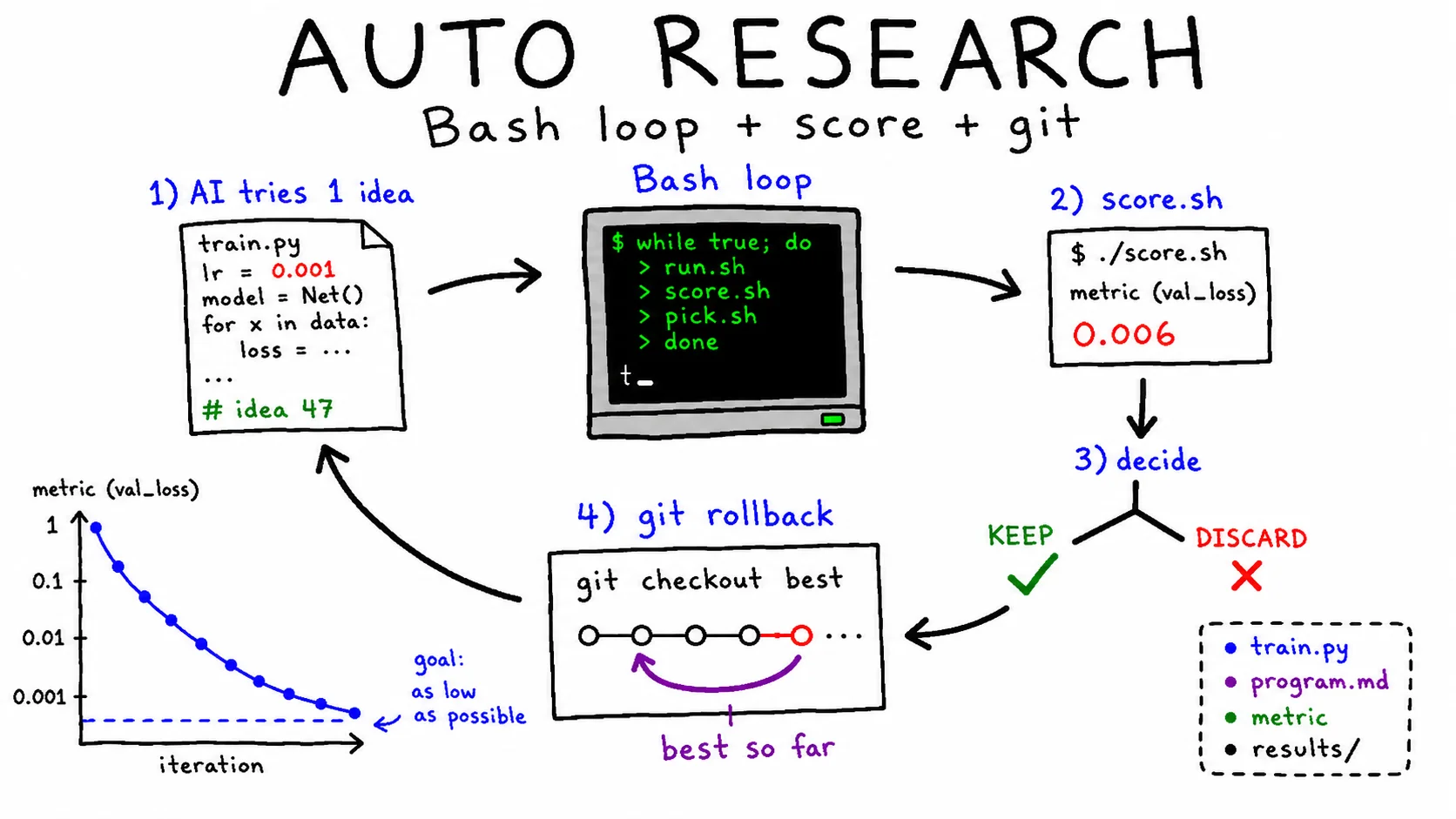
- Auto Research is an exploratory loop: apply a hypothesis, keep it if the metric improves, discard it if it gets worse, then try the next hypothesis. It is different from the Ralph Loop, which stops once a predefined criterion is met.
- Karpathy’s
autoresearchis not a Claude Code plugin. It is an independent Python repository that you use by cloning it locally. - To reproduce the same pattern in Claude Code, use an external Bash loop + git snapshots + best-so-far tracking.
- The key is having one clear metric and a safe rollback mechanism when the score gets worse. Without those, the loop is not an improvement loop. It is just a random code mutator.
The ML numbers below (5-minute runs, ~100 experiments a night, val_bpb) are Karpathy’s. The Bash harness is my own reconstruction of the pattern — I validated it on a tiny non-ML loop, speeding up a deliberately slow function, not an overnight ML run. So treat the scripts as a starting point and test them on a small MAX_ITERS before trusting them unattended.
1. Auto Research vs. Ralph Loop — A Quick Comparison
Both patterns sit under the same broad idea of “letting AI run on its own,” but their stopping conditions are completely different.
| Ralph Loop | Auto Research | |
|---|---|---|
| Stopping condition | Stops when the criteria are met — convergence | Keeps running while improvement is still possible — exploration, usually stopped by time or iteration limit |
| Evaluation | Binary PASS / FAIL | Continuous metric comparison, such as val_bpb ↓, latency ↓, or conversion ↑ |
| Result handling | Pass → stop | If better, keep it. If worse, discard it and try the next hypothesis |
| Best for | Work with a clear spec: landing pages, bug fixes, build passing | Optimization without a fixed spec: models, queries, copy, prompts |
| Claude Code tool | ralph-loop plugin / prompt loop / Bash | Mostly an external Bash loop |
Ralph Loop has a destination. Auto Research only knows which direction is better.
2. Analyzing Karpathy’s Original autoresearch Pattern
karpathy/autoresearch is an experimental framework for automatically improving a GPT-style language model locally.
Structure
| File | Role | Who modifies it |
|---|---|---|
prepare.py | Data preparation and evaluation utilities | Fixed — must not be changed |
train.py | Model, optimizer, and training loop | Modified by the AI agent |
program.md | Research direction and instructions | Modified by the human |
How it works
- One experiment = 5 minutes of training
- Metric:
val_bpb, or validation bits per byte — lower is better - Runs unattended overnight, producing around 100 experiments
- If the score improves, keep the change. If it gets worse, discard it and try the next hypothesis.
Key insights
- Self-contained — no external dependencies beyond PyTorch and a few small packages, and no distributed setup. Training runs locally on a single GPU.
- The editable scope is isolated — the agent only touches
train.py. Because the evaluation logic lives inprepare.py, which stays off-limits, the agent can’t rewrite the scorer to flatter itself. The split makes metric hacking hard by construction, not by trust. - The human provides the direction through
program.md; the AI handles the trial and error.
3. Do You Need a Claude Code Plugin?
No, for two reasons.
1. The original project is not a plugin
karpathy/autoresearch is an independent Python repository.
It is not registered in the Claude Code marketplace. You simply clone it and run it locally.
git clone https://github.com/karpathy/autoresearch
cd autoresearch
# Follow the README inside the repository
Even the original project does not “run inside Claude Code.” It runs as a separate Python process.
2. The Ralph Loop plugin is not a good fit
The ralph-loop plugin stops when a completion promise string is printed, as covered in Running the Ralph Loop in Claude Code.
That structure is not a natural fit for an exploratory loop like:
“Keep going until it no longer seems to improve.”
Auto Research is a loop where it is hard for the AI to decide that it is “done.”
In practice, humans should stop it by time or experiment count.
The straightforward solution: an external Bash loop
The external Bash loop from the Ralph Loop post becomes the foundation for Auto Research.
Then we add two things:
- a discard mechanism using git snapshots
- best-so-far tracking
📌 When I say “running it in Claude Code,” I do not mean running it as a Claude Code plugin.
I mean that a Bash loop repeatedly calls the Claude Code CLI with
claude -p.The owner of the loop is Bash, not Claude.
When I ran it, the agent never actually executed the tests — in headless -p mode it can edit the target file, but running score.sh still needs approval. That is fine, and it is the point: the agent proposes, Bash scores. The loop cannot be gamed by an agent grading its own work, because the agent never touches the scorer.
4. Reproducing the Pattern in Claude Code
The three required pieces
| File | Karpathy equivalent | Role |
|---|---|---|
score.sh | Evaluation part of prepare.py | Runs one experiment and prints one numeric score |
program.md | Same | Research direction, constraints, and hypothesis ideas |
Target file, such as train.py, query.sql, or copy.md | train.py | File modified by the AI |
score.sh must print only one number to stdout.
All comparisons are based on that single number.
⚠️
score.shmust not print human-readable logs to stdout.Send progress logs to stderr or a separate file. Keep stdout reserved for the single number used for comparison.
Tools like
hyperfine,psql, or LLM evaluators may mix progress messages or formatted output into stdout. Use redirection such as>&2or quiet options like-qor--quietwhen needed.
Bash script
#!/usr/bin/env bash
# autoresearch.sh
# Note: we intentionally do not use set -e.
# If score.sh fails, we want to catch that manually and restore the working tree
# with revert_workdir instead of exiting immediately.
set -uo pipefail

MAX_ITERS=100
TARGET_FILE="train.py"           # File the AI is allowed to modify
LOWER_IS_BETTER=1                # Use 0 if higher is better

# Before starting, ensure the working tree is completely clean, including untracked files.
# `git diff` alone does not catch untracked files.
if [ -n "$(git status --porcelain --untracked-files=all)" ]; then
  echo "working tree is not clean. commit, stash, or remove your changes first." >&2
  exit 1
fi

# Keep history outside git tracking so reset does not erase it
HISTORY_DIR=".autoresearch"
HISTORY_FILE="$HISTORY_DIR/history.log"
mkdir -p "$HISTORY_DIR"
grep -qxF "$HISTORY_DIR/" .git/info/exclude 2>/dev/null \
  || echo "$HISTORY_DIR/" >> .git/info/exclude

# Validate that the score string is numeric
is_number() {
  [[ "$1" =~ ^-?[0-9]+([.][0-9]+)?$ ]]
}

# Fully restore the working directory to the last commit, including untracked files
revert_workdir() {
  git reset --hard HEAD >/dev/null
  git clean -fd >/dev/null    # ⚠️ Deletes untracked files, but not ignored files
}

# Baseline = current HEAD.
# We do not create a separate baseline commit because the clean state is enforced.
BASELINE_COMMIT=$(git rev-parse --short HEAD)

# Measure the initial score
BEST=$(bash score.sh)
if ! is_number "$BEST"; then
  echo "baseline score not numeric: $BEST" >&2
  exit 1
fi

echo "$(date -Iseconds) iter=0 commit=$BASELINE_COMMIT score=$BEST baseline" >> "$HISTORY_FILE"

for i in $(seq 1 $MAX_ITERS); do
  echo "=== Iter $i (best so far: $BEST) ==="

  # 1) Ask the AI to try one hypothesis.
  # If Claude fails, restore the working tree and continue to the next iteration.
  if ! claude -p "$(cat <<EOF
[Research Direction]
$(cat program.md)

[Current best score] $BEST (lower is better=$LOWER_IS_BETTER)
[Recent history]
$(tail -10 "$HISTORY_FILE")

[Instruction]
Modify $TARGET_FILE to improve the score.
Apply only one hypothesis at a time.
Explain the intent of the change in one sentence.
Do not run git commit yourself. The script will handle commits.
EOF
)"; then
    echo "claude failed" >&2
    revert_workdir
    echo "$(date -Iseconds) iter=$i score=ERROR CLAUDE_FAILED" >> "$HISTORY_FILE"
    continue
  fi

  # 2) Measure the score
  if ! SCORE=$(bash score.sh); then
    echo "score failed" >&2
    revert_workdir
    echo "$(date -Iseconds) iter=$i score=ERROR REVERTED" >> "$HISTORY_FILE"
    continue
  fi

  # 3) Validate numeric output
  if ! is_number "$SCORE"; then
    echo "invalid score: $SCORE" >&2
    revert_workdir
    echo "$(date -Iseconds) iter=$i score=NaN REVERTED" >> "$HISTORY_FILE"
    continue
  fi

  # 4) Decide whether the score improved
  if [ "$LOWER_IS_BETTER" = "1" ]; then
    IMPROVED=$(awk -v s="$SCORE" -v b="$BEST" 'BEGIN{print (s < b) ? 1 : 0}')
  else
    IMPROVED=$(awk -v s="$SCORE" -v b="$BEST" 'BEGIN{print (s > b) ? 1 : 0}')
  fi

  if [ "$IMPROVED" = "1" ]; then
    BEST=$SCORE
    git add -A && git commit -m "iter $i: improved to $SCORE" >/dev/null
    echo "$(date -Iseconds) iter=$i score=$SCORE KEEP" >> "$HISTORY_FILE"
  else
    # 5) If the score got worse, restore everything, including untracked files
    revert_workdir
    echo "$(date -Iseconds) iter=$i score=$SCORE DISCARD" >> "$HISTORY_FILE"
  fi
done

echo "Done. Final best: $BEST"
Five core mechanisms
- Single metric
score.shprints one number, which makes comparison simple. - Git as the discard mechanism
git reset --hard HEAD+git clean -fdfully restores the working tree, including untracked files. This corresponds to “discard” in the originalautoresearch. Coming from backend work, I read this as plain transaction rollback:reset --hard+clean -fdis the loop’s ROLLBACK, and the one-file editable scope is least-privilege access control. - Best-so-far tracking
Every new score is compared against the current best. - History outside git tracking
.autoresearch/is excluded from git, sogit reset --harddoes not erase DISCARD records. - Score validation
is_numberprevents empty strings or error messages from being treated as valid scores and silently breaking theawkcomparison.
Safety layers
- Use
MAX_ITERSto limit the number of experiments. - If
score.shfails or returns NaN, callrevert_workdirand continue. - If you need a time limit, wrap the script with something like:
timeout 8h bash autoresearch.sh- ⚠️
git clean -fddeletes untracked files. If you have temporary files you want to keep, place them outside the loop directory or commit/stash them before running the script. Files listed in.gitignoreare not deleted by-fd, but changing the option to-fdxwould delete ignored files too. - ⚠️
git clean -fddoes not delete ignored files. If generated files such asdist/,.cache/,bench.json, orresult.jsonare ignored by git, they may accumulate across iterations and contaminate the score. If that matters, clean them explicitly at the start ofscore.sh, or place all generated artifacts under.autoresearch/and clear that directory each time.
What I saw running a 5-iteration toy
I pointed this at a slow recursive compute(n) and let it run five iterations. Iteration 1 rewrote the exponential recursion as an O(n) loop and the score fell from 233 ms to 0.006 ms — the one real win. Then the agent proposed fast-doubling, an O(log n) method that is objectively “smarter”; the harness measured it at 0.007 ms and discarded it, twice. That is the whole thesis in one run: the number overruled the cleverer-looking change.
The unflattering part came next. Iterations 4 and 5 “improved” 0.006 → 0.003 → 0.002 ms — differences that are pure measurement noise at that scale (my own baseline wandered between 233 ms and 434 ms across runs of the same code). The loop found the real gain immediately, then spent the rest of the run happily chasing noise. That is Trap 2 and Trap 3 below in miniature: a single score.sh timing one compute(30) call was too crude a metric, so past the first iteration it stopped pointing at anything real.
5. Use Cases Outside Machine Learning
The Auto Research pattern works anywhere you can automate:
hypothesis → apply → measure → compare
1. Copy A/B testing
# score.sh
# Inject copy variants into the page
# Measure simulated CTR with a headless browser
# Or score persuasion with LLM-as-judge- AI-modified file:
landing-copy.md - Metric: simulated CTR, LLM evaluation score, readability score
- Trap: LLM evaluation is noisy, so it is safer to score the same copy N times and average the result.
2. SQL query tuning
# score.sh
# Parse execution time from EXPLAIN ANALYZE
# -X: ignore psqlrc
# -q: quiet
# -t: tuples-only
# -A: unaligned output, useful for jq parsing
psql -X -q -t -A -c "EXPLAIN (ANALYZE, FORMAT JSON) $(cat query.sql)" \
| jq -r '.[0]."Execution Time"'- AI-modified file:
query.sqlor an index definition file - Metric: execution time in milliseconds
- Trap: cache effects. Use
DISCARDbefore each measurement or compare using the same workload. - Note:
psql -cnormally mixes headers and formatted output. Without-t -A,jqmay fail to read the JSON.
3. Prompt optimization
# score.sh
# Apply prompt.md to N test cases → accuracy- AI-modified file:
prompt.md - Metric: evaluation accuracy, response token count, or a latency-weighted score
- Trap: overfitting to the evaluation set. Split the data into train/dev/test, and use the test set only at the end.
4. Performance optimization with benchmarks
# score.sh
hyperfine --warmup 3 --runs 10 './my_program' \
  --export-json bench.json
jq '.results[0].mean' bench.json- AI-modified file: hot-path code
- Metric: average execution time
- Trap: microbenchmarks may not reflect real-world performance. Validate again with an integrated scenario.
6. Traps — When Auto Research Becomes Meaningless
❌ Trap 1: Metric hacking
If the AI can modify the evaluation code, the score may improve while the actual result becomes meaningless.
This is why the original Karpathy project keeps prepare.py off-limits.
In the Bash version, explicitly restrict the editable file to one target file.
It is also useful to reject changes if git diff --name-only shows any unexpected file.
# Editable scope guard example
CHANGED=$(git diff --name-only)
if [ "$CHANGED" != "$TARGET_FILE" ]; then
  echo "editable scope violation: $CHANGED" >&2
  revert_workdir
  continue
fi
❌ Trap 2: The danger of a single metric
A single score can hide trade-offs.
For example, accuracy might reach 99%, but latency could increase by 10x.
Possible fixes:
- Combine metrics into one composite score, such as
accuracy - 0.1 * latency_seconds. - Add constraints, such as “KEEP only if latency stays within 1.2x of the baseline.”
❌ Trap 3: Evaluation noise
If the same code produces different scores on different runs, the loop becomes driven by luck.
Common causes include random seeds, caches, and network variability.
Fix this by measuring N times inside score.sh and using the average or median.
You can also fix random seeds when possible.
❌ Trap 4: Local optimum
If the AI only repeats small changes, it may get stuck on a local peak.
Add instructions to program.md, such as:
“Occasionally try larger structural changes.”
Another option is to add a reset phase after N consecutive iterations without improvement.
❌ Trap 5: Cost blow-up
If you run 100 experiments overnight, your API cost can also grow by 100x.
Use at least two of the following limits:
MAX_ITERS- time limit with
timeout - token limit, such as plan mode or a restricted prompt
❌ Trap 6: Pretending to measure what cannot be measured
“Looks better” is not a metric.
The core question for Auto Research is simple:
Is there a number you can express in one line of
score.sh?
If not, you probably need a Ralph Loop with binary PASS/FAIL criteria instead.
7. Using Auto Research Together with the Ralph Loop
These two patterns are not mutually exclusive.
In practice, they often work well together.
[outer] Auto Research — "Find the best copy" (score = CTR)
└─ [inner] Ralph Loop — "Build a page with this copy" (build PASS + a11y PASS)- The outer loop is for exploration: keep searching while the score improves.
- The inner loop is for convergence: one experiment is not considered complete until the criteria pass.
The outer loop proposes the next copy.
The inner loop turns that copy into a working page and passes it to score.sh.
Then score.sh evaluates only outputs that passed the Ralph Loop.
This also prevents incomplete artifacts from contaminating the metric.
8. Minimal Practical Template — Start Small
At first, do not start with machine learning or complex benchmarks.
Start with something small, such as:
- prompt evaluation with 10 test cases
- SQL execution time measurement
- a simple benchmark with one numeric score
Here is the lowest-friction score.sh example:
#!/usr/bin/env bash
# score.sh — Use test accuracy as the score. Higher is better.
set -euo pipefail

# Keep evaluation artifacts under .autoresearch/eval/, which is not tracked by git.
# This prevents KEEP rounds from pulling them into git history with git add -A.
EVAL_DIR=".autoresearch/eval"
mkdir -p "$EVAL_DIR"
rm -f "$EVAL_DIR/result.json" "$EVAL_DIR/eval.log"

echo "[score] running eval..." >&2     # logs go to stderr
python run_eval.py --json > "$EVAL_DIR/result.json" 2> "$EVAL_DIR/eval.log"
jq -r '.accuracy' "$EVAL_DIR/result.json"   # stdout contains only one number
⚠️ Do not merge stderr into
result.jsonwith2>&1.If
run_eval.pywrites even one line to stderr, the JSON will break andjqwill fail.📌 If you put evaluation artifacts like
result.jsonoreval.login the repository root, they may be picked up bygit add -Aduring KEEP rounds and pollute the history.Keeping them under
.autoresearch/eval/isolates them automatically because.autoresearch/is already excluded from git.
That one line, jq -r '.accuracy', is the starting point of Auto Research.
Then place the autoresearch.sh script from section 4 on top of it.
Do not forget to set:
LOWER_IS_BETTER=09. Recommended Starting Order
- Write
score.shfirst.
If you cannot define the metric, everything else is meaningless. - Run it manually 3–5 times.
Check whether the score is stable and get a feel for what affects it. - Limit the editable file to one target and add a guard.
- Start with a small
MAX_ITERS, such as 5.
Validate metric hacking risks, noise, and cost before scaling up. - Once it feels safe, let it run overnight.
In the morning, review.autoresearch/history.logto see the full trajectory.
Closing
Auto Research is not a magical tool where “AI finds the best answer on its own.”
It simply repeats attempts in the direction pointed to by one metric defined by a human.
That means the real difficulty is not the loop itself.
The difficulty is in two things:
- Aligning the metric with what actually matters
Are you really improving the thing you care about, or are you only improving the number? - Narrowing the editable scope
If you give the AI too much freedom, it can fall into metric hacking or meaningless changes.
Can you express the direction as one number, and does that number truly point in the right direction?
That is the starting line for Auto Research.
Related posts:
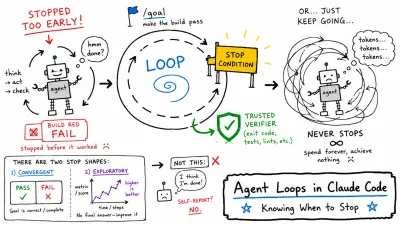
- Loop engineering overview: Agent Loops in Claude Code: Knowing When to Stop
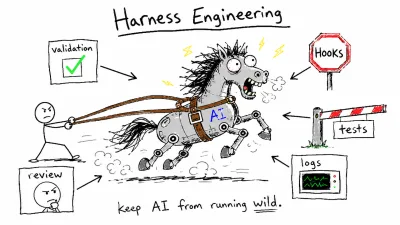
- Harness overview (execution patterns, verification): Harness Engineering: Keeping AI From Running Wild
- Companion post: Running the Ralph Loop in Claude Code
- The original pattern: karpathy/autoresearch