Two teams use the same Claude. One hands entire development tasks to agents. The other burns hours re-checking every result. Where does the difference come from?
Not the model. The environment.
At OpenAI, three engineers (later seven) spent five months building a repository of roughly a million lines, spanning application logic, infrastructure, tests, and docs, with zero hand-written code and 1,500 merged PRs. Their retrospective wasn’t “use a better model.” It was environment design, start to finish. Anthropic ran the same short prompt two ways: a solo agent (on Opus 4.5) took 20 minutes and $9 to produce an app whose core feature didn’t work, while a three-agent harness took 6 hours and $200 to produce one that did. The name for this kind of environment design is harness engineering.
This post covers what a harness is, what it can do, and how to build one: lay the foundation, add mechanisms at each stage of the SDLC, keep pruning.
What is a harness
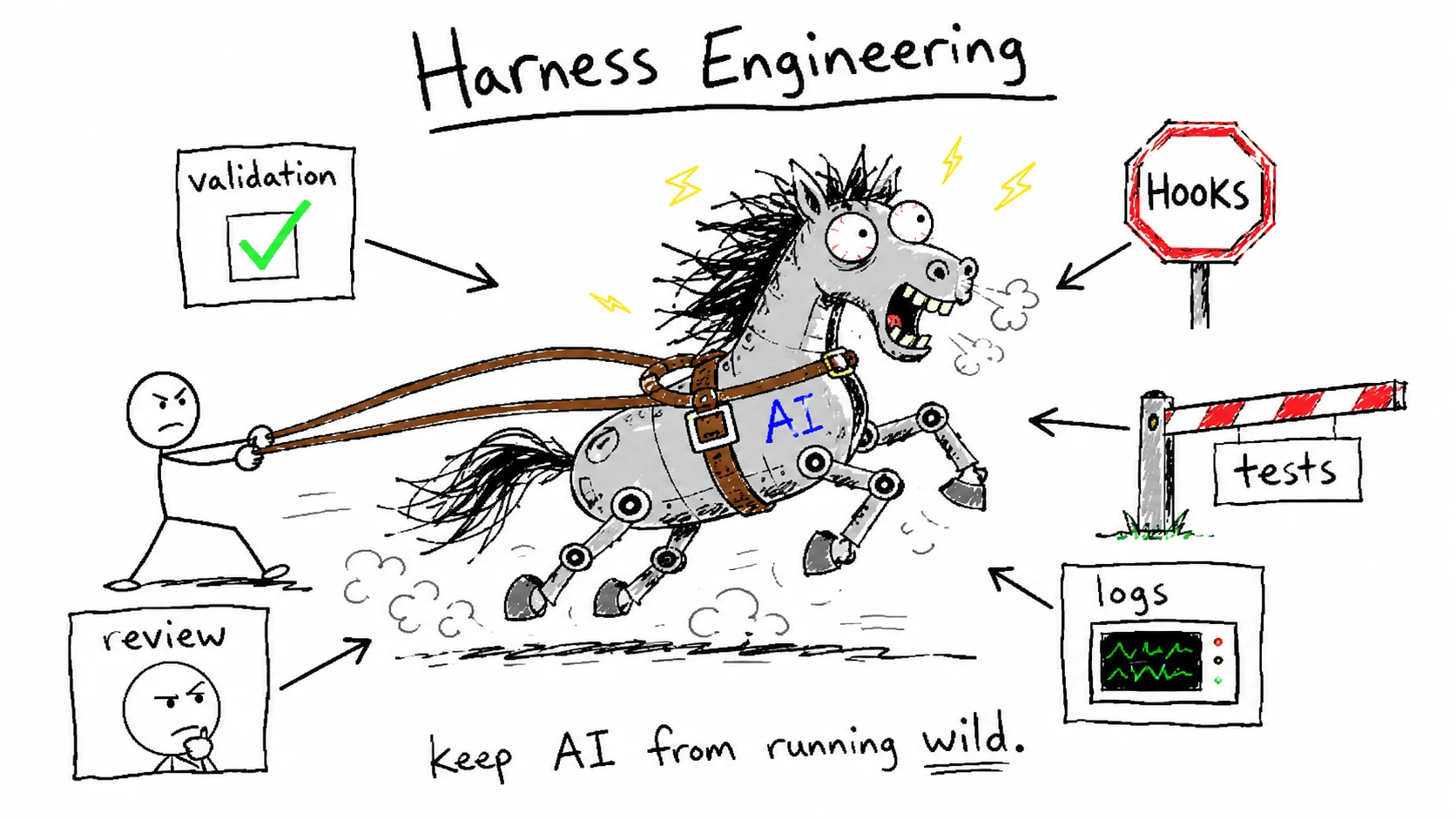
A harness is the code and structure wrapped around AI model calls. It’s the layer that keeps the system standing when the model ignores instructions or makes mistakes.
The word originally means horse tack: reins and saddle. You keep the horse’s (model’s) power but stop it from going wherever it pleases. Concretely, the mechanisms fall into six types.
| Type | What it does | Examples | |
|---|---|---|---|
| Holds the agent | Validation | checks output against criteria, retries on failure | schema validation, typechecks, tests |
| Blocking | forcibly stops dangerous commands | deploy and delete commands blocked by hooks | |
| Gates | no passing, no proceeding | tests and typechecks must pass before commit/deploy | |
| Separation | the AI that builds is not the AI that judges | Generator ≠ Evaluator, worktree isolation | |
| Lets it see | Recovery | turns failure into input for the next attempt | failure logs injected into context, git revert |
| Observability | lets the agent check its own state | agent queries logs, metrics, screens directly |
The first four are the reins; the last two are the eyes and the feedback loop. A harness isn’t all blocking. Half of it holds the agent, and the other half lets the agent check on itself.
The line between a declaration and a mechanism is simple. Write “get approval before deploying” in CLAUDE.md and you have a wish (context). Block unapproved deploy commands in code and you have a mechanism. Enforcement mechanisms like blocking and gates have to hold even when the model ignores them, and even prompt-based components like a skeptical evaluator need to live inside a structure the model can’t escape: a separate session, orchestration code. If it exists as structure rather than as a wish in context, it’s a harness.
I think of working with AI in four levels.
| Level | Name | Slogan |
|---|---|---|
| Level 1 | Prompt Engineering | ”Say it like this” |
| Level 2 | Context Engineering | ”Give it this background” |
| Level 3 | Harness Engineering | ”Design the environment itself” |
| Level 4 | Loop Engineering | ”Give it a goal and let it run” |
Prompting is saying it well once. Context is providing the right background. A harness is building the stage the AI works on, and a loop is making it run on that stage until it reaches the goal. The four aren’t successive stages that replace each other; you use them together. This post is about Level 3. Loops either spin out or spin in place without the parts a harness provides, so the harness comes first.
What a harness can do
Two public experiments show how far a harness can take you.
OpenAI: mechanical enforcement. In the million-line experiment, architecture rules (each domain may only depend forward through Types → Config → Repo → Service → Runtime → UI) were enforced by custom linters and structural tests, not documentation. The linters’ error messages were written for the agent, carrying correction guidance it could read and act on. Early on the team spent every Friday, 20% of the week, cleaning up “AI slop.” That didn’t scale, so they encoded their principles into the repo and set background agents to scan for drift and open cleanup PRs automatically. Their takeaway: “the discipline shows up in the scaffolding rather than the code.”
Anthropic: separating the evaluator. “Out of the box, Claude is a poor QA agent.” Ask a model to grade its own work and it will find an obvious bug, shrug, and wave it through. The fix wasn’t pushing the building agent harder; it was adding a separate Evaluator tuned to be skeptical. The key finding: making an evaluator skeptical is far easier than making a generator self-critical. The $9 vs $200 comparison above is exactly this structure (planner–generator–evaluator) being measured.
And one framing from Anthropic that sits underneath all of it:
Every harness component is a bet on something the model still can’t do by itself.
Designing a harness means admitting “the model won’t manage this part” and filling that gap with environment design. Which also means the assumptions need re-testing whenever models improve. More on that in the last part.
The skeleton: foundation, mechanisms, maintenance
So how do you build this into your own project? I approach it in three layers.
- Lay the foundation — the structure the mechanisms plug into (folders, tools, boundaries) and the context (what the AI knows)
- Add mechanisms at each SDLC stage — starting with the cells where mistakes cost the most
- Keep refining the matrix — re-checking every mechanism when model generations change
The heart of it is step 2. Building a harness ultimately means installing the right mechanism at each stage of the software development life cycle.
| SDLC stage | Harness mechanisms |
|---|---|
| Planning | agree on “what counts as done” before work starts — sprint contracts, Plan mode |
| Coding | problems caught the moment an edit lands — per-edit typecheck hooks, custom linters whose error messages feed correction guidance to the agent |
| Review | the AI that built it doesn’t grade it — reviewer agents, a skeptical evaluator |
| Verification | no passing, no proceeding — pre-push verify gates, CI test steps |
| Deployment | irreversible actions require a human — deploy-approval hooks, single-use approval markers |
| Operations | detect drift and clean up — golden principles plus background cleanup agents, logs and metrics the agent can read |
Filling every cell isn’t the goal. Start with the cells where mistakes cost the most in your project. On my blog, a push is a production deploy, so deployment came first. On a project handling medical data, it would be the cells protecting the data, because a PHI leak can’t be undone.
What’s new in this table isn’t the stages. It’s who does the enforcing. The SDLC gates themselves are classic software engineering; they’re the same release gates I dealt with building telecom backends. What changed is that agent throughput now outruns human review speed, so most of the gates a human used to stand at have to be handed to machines. “I’ll just review everything myself” really means “I am the harness,” and that doesn’t scale.
Let’s walk the three layers in order.
Part 1. Lay the foundation: structure and context
Structure: folders are the AI’s decision tree
Tell an AI “write tests” and it looks for tests/. Say “update the docs” and it looks for docs/. And AI replicates whatever patterns already exist: clean patterns breed clean code, messy patterns breed more mess. That’s why OpenAI made a strict layer structure an early prerequisite of the project. Constraints are what let you go fast without rot.
Standard layout:
my-project/
├── src/        # business logic
├── docs/       # reference docs for the AI (human-maintained)
├── tests/      # verification infrastructure
├── .claude/    # AI config (rules, skills, hooks, agents)
├── out/        # build artifacts
└── CLAUDE.md   # project map (~100 lines)
Keep human documents and AI work traces separate. docs/ holds the business truth humans are responsible for (domain definitions, ADRs, API specs), while the AI’s work logs, debugging history, and scratch notes live elsewhere. Mix them and the moment humans stop maintaining the folder, the AI starts citing its own work logs as “truth.”
My approach: git log instead of a scratch folder
In my blog repo I skip the scratch folder entirely:
docs/            # plans and in-progress documents (YYYYMMDD_name.md)
docs/completed/  # archive for finished plan documents
docs/guides/     # procedures and guides that live outside the code
git log          # the record of completed everyday changes (detailed commit messages)
One principle. For completed everyday changes (bug fixes, refactors, small features), a detailed commit message plus git log is enough, and I don’t write “here’s what I did” completion documents. Documents are only for what git can’t hold: ① future plans and roadmaps, ② procedures outside the code, ③ decision rationale and manual ops steps that don’t show up in a diff. Git already records the AI’s work history perfectly. Write the same thing into a document and you’ve created a second source of truth that nobody maintains.
The sockets the mechanisms plug into — five tools:
| Tool | One-liner | When to use |
|---|---|---|
| Skills | recipes for repeated work (/commit, /review) | same task three or more times |
| Agents | specialist teammates (subagents) | parallelism / specialization / multiple perspectives |
| Plugins | bundle the components above for distribution | team sharing, external release |
| Hooks | automatic safeguards (Pre/Post/Stop) | hard-blocking dangerous commands |
| MCP | connections to external systems (DBs, Slack, etc.) | external data / actions |
Don’t try to solve everything with Skills. Blocking belongs to Hooks and external integration to MCP; they’re different tools for different jobs.
Set boundaries with a two-part structure: declare, then enforce. Write “no direct pushes to main” in CLAUDE.md (declare), and actually block it with a hook (enforce). Declaration alone gets forgotten sometimes; enforcement alone hides the intent from the code. With both, the AI understands the intent, and mistakes still get stopped.
Context: a map, not an encyclopedia
CLAUDE.md should be a map. OpenAI’s phrasing: give the agent a map, not a thousand-page manual. A giant instruction file eats context, makes nothing important because everything is, and goes stale immediately. The standard is progressive disclosure: a short map (~100 lines) pointing to structured documents the AI reads only when it needs them. Splitting rules into .claude/rules/ for conditional loading, and clearing session context as it piles up, are part of the foundation too.
Context management deserves a post of its own, so I’ll cover it separately.
Part 2. Add mechanisms at each stage
With the foundation down, you fill in the matrix. Here’s what goes in each cell.
Planning: define “done” before you start
Start with “build me this” and you fall into the loop of inspect → “no, not that” → retry. The cause is simple: the AI doesn’t know the assumptions in your head. “Just do it” forces it to guess, and the guesses almost always miss.
Two mechanisms here. First, make the AI ask you questions. People can’t fit all their assumptions into a prompt, so the missing context only surfaces when the AI asks.
User: I want to refactor the payment system.
      Summarize what you understand, then ask about anything ambiguous.

AI:   What I understand: improving the existing structure of the payment module.
      Q1: Single payment gateway or multiple?
      Q2: Are subscription payments in scope?
      Q3: Are DB schema changes allowed?
Second, drop the plan into a file. Converting the fuzzy intent in your head (implicit) into a reviewable document (explicit) gives you something concrete to execute and verify against from then on. The interview → requirements → plan file → execute flow can be automated with a custom Plan skill, and baking your domain’s checklist into the skill (data model change scope, external integrations, rollback plan) saves you from repeating the same questions every time.
The signature mechanism for this cell is Anthropic’s sprint contract: before any code is written, the Generator and Evaluator agree in a file on what “done” looks like and how to verify it. Write completion criteria so they’re measurable: “make it work well” ❌ / “tests pass + build succeeds” ✅. Without criteria the AI either works forever or looks around at partial progress and declares victory, a failure mode Anthropic actually observed.
Five minutes of planning saves five hours of rework.
Coding: catch it at edit time
Errors get more expensive the later they’re found. Wire typechecks and lint to fire the moment the agent touches a file (per-edit hooks) and problems get caught at edit time instead of deploy time. OpenAI went a step further and wrote their custom linters’ error messages for the agent: not just what’s wrong but how to fix it, so a failure immediately becomes the input for the next attempt. Recovery and validation fused into one mechanism.
In a human-centered workflow these rules look pedantic. For agents they’re a multiplier: encode a rule once and it applies everywhere at once.
Review: the builder doesn’t grade
Build and evaluate in the same context and the AI grades its own work generously, exactly the behavior Anthropic observed above. Physical separation (different session, different agent) beats self-criticism, and tuning a dedicated evaluator to be skeptical is far easier.
If you take one thing from this post, take this: Generator ≠ Evaluator. It applies anywhere there’s an output, not just code review — writing, design, configuration.
Note that the proven lever is the separation itself; Anthropic’s experiment split sessions on the same model. Cross-reviewing with a different model (say, Codex reviewing Claude’s code) might also spread out the blind spots that come from shared training, but that’s an optional add-on with no published numbers behind it. Swapping models without separating does nothing. Separating properly gets you most of the benefit.
Verification: look at the screen, not just the code
The measurable criteria from the planning cell get enforced by machines here: a pre-push gate that forces typecheck plus build, a CI test step. Fail, and you can’t move forward.
And code checks alone aren’t enough. Anthropic’s Evaluator drove the running app with Playwright like a user, clicking through and verifying UI, API, and DB state, and it caught bugs that weren’t obvious from the code. In one real case, a QA round flagged a stub implementation where the record button toggled but never captured the mic. The visual loop of build → screenshot → look and judge → fix is especially strong for design QA and responsive checks.
Deployment: humans hold the irreversible
Assume verification can fail, and put a last line of defense on anything you can’t take back.
| Mechanism | How it works |
|---|---|
| Reversible environment | isolate with git worktree — the AI can wreck things and main stays safe |
| Human approval | deletion, deployment, anything sent externally runs only after approval (single-use approval markers) |
| Dry-run | ”here’s what I’m about to do, correct?” preview before execution |
The point isn’t “never make mistakes.” It’s a structure where mistakes are survivable. One caution when designing approval: if the agent can create the approval marker itself, it’s not a gate. Approval has to come from somewhere the agent can’t reach, like the user’s terminal. By the same logic, if the agent can edit the hook configuration, that hook isn’t a gate either. Keep the blocking mechanism itself outside the agent’s write access.
Operations: detect drift, clean up
Agents replicate the patterns already in the repo, so uneven patterns multiply too. Drift is inevitable over time. OpenAI’s answer is the golden principles plus background cleanup agents from earlier: encode human taste once, and every day it catches drift and turns it into refactoring PRs reviewable in under a minute. Treat tech debt like a high-interest loan and keep paying it down in small amounts instead of letting it pile up.
Observability lives in this cell too. Make logs, metrics, and traces directly queryable by the agent, and a prompt like “check that service startup finishes within 800ms” becomes an executable task.
Running work on the harness: execution patterns
With the mechanisms installed, there are three ways to run work on top of them.
| Pattern | Shape | When |
|---|---|---|
| Solo (single) | AI → output | simple tasks, most everyday work |
| Delegation (subagent) | main → delegate → collect | parallel processing of independent tasks |
| Team (team mode) | role agents talk to each other directly | when roles need a feedback loop between them |
Solo and subagent cover most work. Team mode’s token cost jumps with every message the agents exchange, so save it for situations where multiple roles genuinely need to debate each other. The most common mistake is turning team mode on from the start.
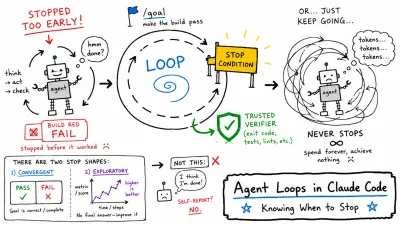
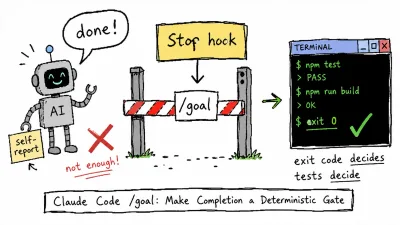
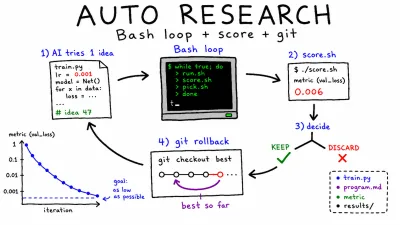
For tasks with clear completion criteria that can be evaluated automatically, you can move up to loop patterns: “repeat until it passes” (the Ralph Wiggum loop) or autonomous experiment loops (auto research). That’s a separate layer that sits on top of the harness, so it gets its own post.
Part 3. Keep refining the matrix
Installing mechanisms isn’t the end. Two directions of maintenance keep a harness alive.
Fill: turn repetition into mechanisms. Improvement starts with observation. Where does the time go, where do the failures happen? Then plant it back with two heuristics.
Same task three times     →   extract a Skill
Same mistake three times  →   pin it down as a Rule
The number three isn’t the point; the sense that “this repetition has become a pattern” is. And the target of this improvement isn’t the code, it’s the harness itself. Code gets better inside each task; here you plant the lessons from that task back into the environment. Turn one mistake into a rule and it disappears from every task after it, so the effect compounds.
Empty: re-test the assumptions. The most counterintuitive principle, and the most important: a good harness gets simpler over time. Each mechanism is one assumption (“the model can’t do this alone”), and assumptions go stale as models improve. A good example: on Opus 4.6, Anthropic removed the sprint decomposition structure that earlier models had needed (the planner and evaluator stayed). Delete Skills, MCP servers, and Rules the moment they stop earning their keep. But as Anthropic also concluded, better models don’t shrink the space of harness design; they move it. When one guardrail becomes unnecessary, the larger autonomy calls for new ones. Re-check the matrix every model generation. That’s the whole of the third layer.
Signs you’re on track: you never say the same thing twice / mistakes become rules / the blocking mechanisms actually block something / the unnecessary keeps shrinking. On the other hand, if inspection time is growing, skills pile up unused, and guide files go unmaintained, that’s not a harness accumulating. That’s baggage.
Closing
You don’t need to start big. Pick the single most dangerous command in your project and put a double safeguard on it (a CLAUDE.md declaration plus a hook that blocks), and you have your first harness. There’s no better one to start with.
If you keep just three sentences from this post, keep these.
The environment, not the model, decides the outcome.
A declaration is a wish; what exists as structure is a mechanism.
A good harness carries no complexity that isn’t earning its keep.
In the era of AI writing the code, the human job shifts from writing code well to building an environment that works well.