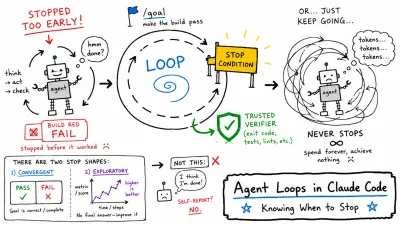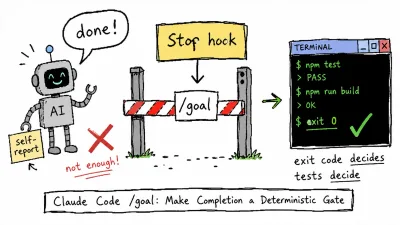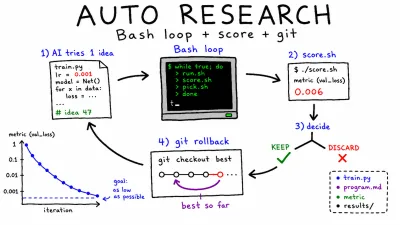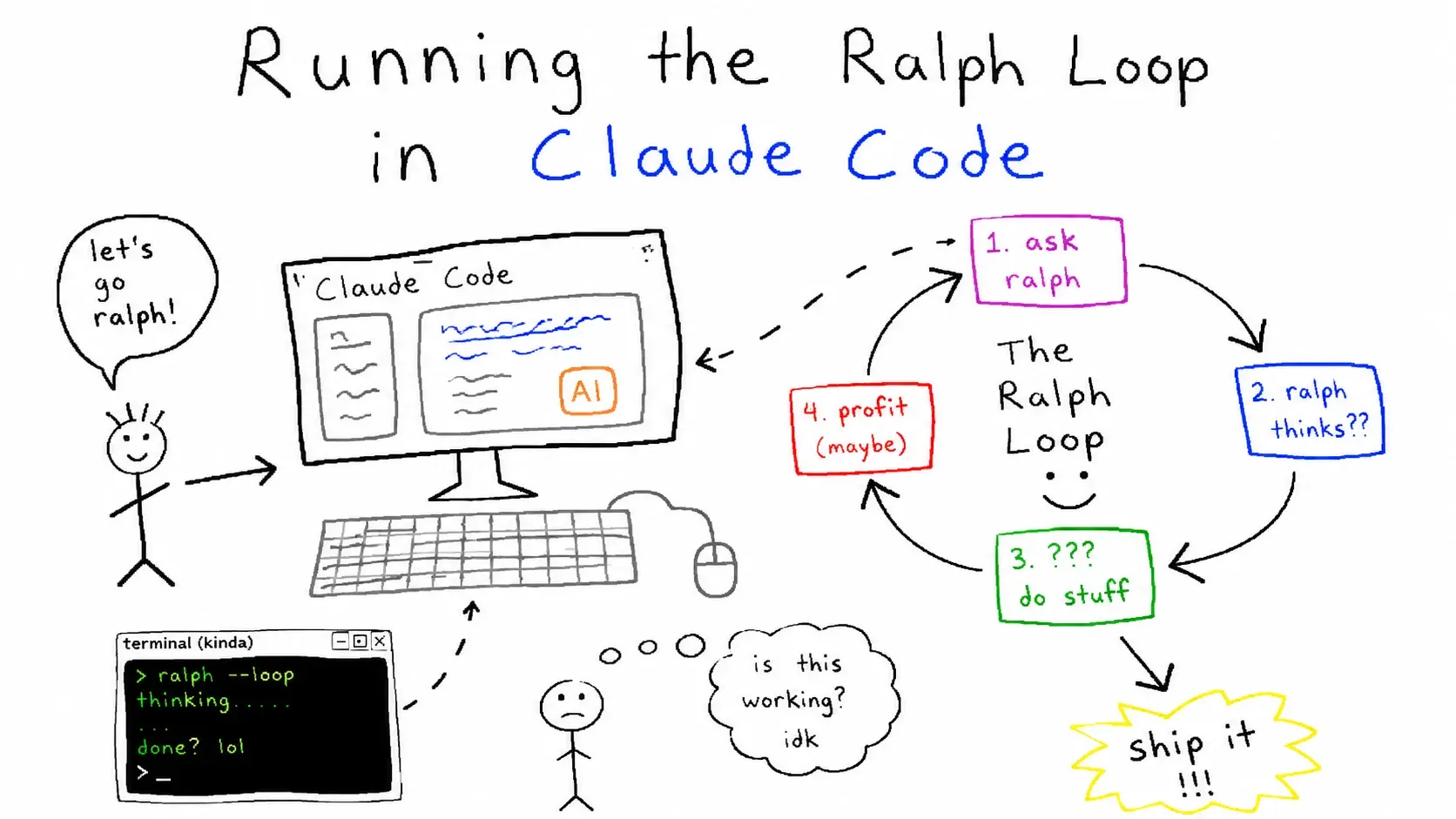
Companion post to Harness Engineering: Keeping AI From Running Wild — the loop layer that runs on top of the harness.
TL;DR
- The concept is simple: work → verify → repeat until the completion criteria are met.
- There are four ways to run it: the official
ralph-loopplugin, the/loopcommand, a manual prompt-based loop, and an external Bash loop. - The key is to use criteria that can be measured automatically. Commands like
lighthouse,pytest, ortsc --noEmitshould return a clear PASS/FAIL through exit codes. - Vague criteria like “make it look good” or “make it work well” will never give the loop a reliable stopping point.
1. A Quick Recap of the Ralph Loop
From the main post, 05. Orchestration §3:
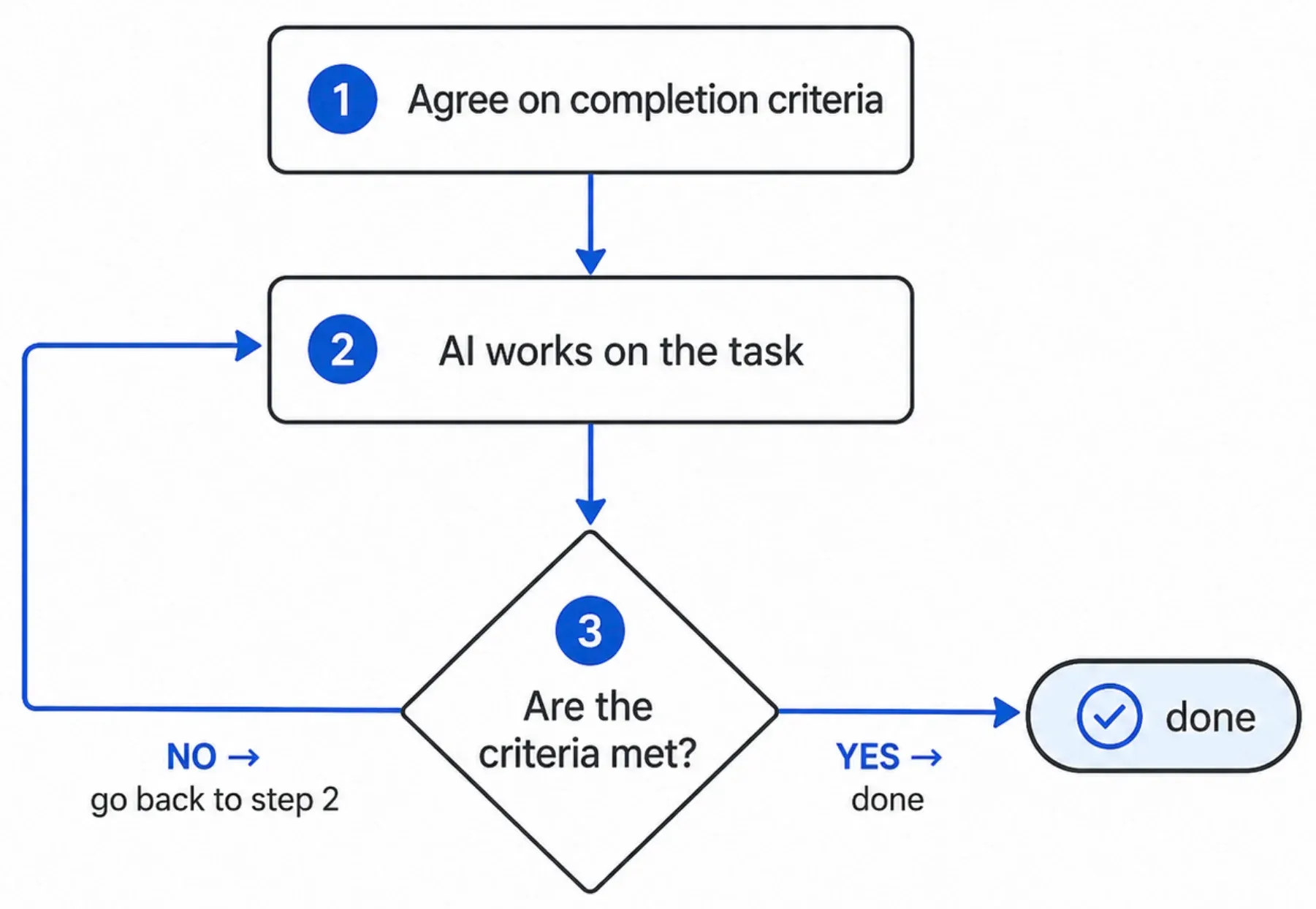
Ralph Loop
The human only needs to define the criteria once. The rest can be handled by AI.
This appendix focuses on one practical question:
How do we actually run this in Claude Code?
2. Method 1 — Use the Official ralph-loop Plugin
This is the most recommended approach.
Use the Ralph Loop plugin from Claude Code’s official marketplace, claude-plugins-official. It requires the least setup and is the most stable option for everyday use.
Installation
In most cases, you can install the plugin with one command:
/plugin install ralph-loop@claude-plugins-officialIf Claude Code cannot find the marketplace, add the official marketplace first and then install the plugin:
/plugin marketplace add anthropics/claude-plugins-official
/plugin install ralph-loop@claude-plugins-official
Usage
/ralph-loop "Build a landing page.

Completion criteria:
- npm run build passes
- npx playwright test passes
- Lighthouse Performance score >= 0.9

You must run the validation commands below.
Only print DONE when every check passes.

Validation commands:
npm run build && \
npx playwright test && \
npx lighthouse http://localhost:3000 \
  --only-categories=performance \
  --quiet \
  --chrome-flags='--headless' \
  --output=json \
  --output-path=lh.json && \
jq -e '.categories.performance.score >= 0.9' lh.json > /dev/null
" --max-iterations 10 --completion-promise "DONE"
How it works
- In each round, Claude continues the task and is guided to run the validation commands described in the prompt.
- The loop ends when Claude prints the
completion-promisestring, in this caseDONE. - In other words, the plugin itself is not automatically running your validation commands. The stopping signal is the completion promise string.
- That is why the prompt must clearly say: “Only print DONE when every validation command passes.”
- Use
--max-iterationsto prevent infinite loops. - To stop the loop in the middle, use
/cancel-ralph.
When to use it
Use this when:
- Your completion criteria can be expressed as CLI commands.
- You want to keep a long iterative task running inside Claude Code.
- You want the simplest practical version of the Ralph Loop.
3. Method 2 — Run Periodically with /loop
Claude Code also includes a bundled skill called /loop.
It lets you rerun a prompt or slash command on a fixed interval:
/loop 10m /verify-and-fix-landing-pageHow it differs from ralph-loop
ralph-loopis result-oriented: it stops when the completion promise is met./loopis time-oriented: it repeats on a schedule.
When to use it
Use /loop when:
- You need to poll external state, such as deployment status or queue length.
- The stopping condition depends on an external event.
- You want something to run repeatedly at a fixed interval.
This is not exactly the same as the Ralph Loop from the main post.
But you can approximate the same behavior if your slash command checks the stopping condition internally and exits when the criteria are met.
4. Method 3 — Build the Loop Directly in the Prompt
This is the lightest option.
Use it when installing a plugin is not convenient, or when you only need to run the loop once.
Template
Repeat until all of the following completion criteria are met.

[Completion Criteria]

1. npm run typecheck → exit 0
2. npm run test → exit 0
3. npx lighthouse http://localhost:3000 \
     --only-categories=performance --quiet \
     --chrome-flags='--headless' \
     --output=json --output-path=lh.json
   && jq -e '.categories.performance.score >= 0.9' lh.json > /dev/null
   → exit 0

[Loop Rules]

- In each round:
  (a) implement or fix
  (b) run all three commands
  (c) print a PASS/FAIL table
- If any check fails, analyze the cause and return to step (a)
- If all checks pass, write the final report and stop
- Try a maximum of 10 rounds. If it still fails, ask for human help.
Key points
- Define a clear exit condition, such as
exit 0ortrue. - Set an upper limit to prevent infinite loops, such as “maximum 10 rounds.”
- Define an escalation rule for when the AI gets stuck, such as “ask for human help.”
5. Method 4 — Use an External Bash Loop
This is the most reliable approach when you do not want the Claude session context to grow too large, or when you want each round to start from a clean state.
#!/usr/bin/env bash
# ralph.sh
set -uo pipefail   # pipefail is critical: validation failures still propagate even when using tee
MAX=10

run_checks() {
  npm run typecheck && \
  npm run test && \
  npx lighthouse http://localhost:3000 \
    --only-categories=performance --quiet \
    --chrome-flags="--headless" \
    --output=json --output-path=lh.json && \
  jq -e '.categories.performance.score >= 0.9' lh.json > /dev/null
}

for i in $(seq 1 $MAX); do
  echo "=== Round $i ==="

  claude -p "Fix the cause of the landing page failure. \
    Failure log: $(cat last_failure.log 2>/dev/null || echo 'first attempt')"

  # Thanks to pipefail, a run_checks failure is correctly reflected in the if condition
  if run_checks 2>&1 | tee last_failure.log; then
    echo "PASS in $i rounds"
    exit 0
  fi
done

echo "FAIL after $MAX rounds"
exit 1
⚠️ Without
set -o pipefail, you may get a false PASS.By default, Bash uses the exit code of the last command in a pipeline. In this case, that last command is
tee, andteealmost always succeeds. So withoutpipefail, the script may reportPASSeven whenrun_checksfailed. If this one line is missing, the entire loop becomes unreliable.
Advantages
- Each round starts in a new session, so there is no context pollution.
- PASS/FAIL is determined clearly by shell exit codes.
- It can be plugged directly into CI.
- The validation logic is extracted into a function.
- Failure logs are preserved in
last_failure.log. set -o pipefailallows you to useteefor logging while still detecting failures correctly.
Trade-offs
- Each round has to rebuild context from scratch.
- Since session context does not accumulate, information from the previous failure must be passed through external memory, such as a log file.
6. Comparison
There are four practical ways to run the Ralph Loop in Claude Code.
① ralph-loop plugin
This is the easiest and most practical option for most cases.
- Context accumulates: Yes
- Stopping condition: Completion promise output
- Best for: Everyday Ralph Loop usage inside Claude Code
② /loop command
This is useful when you want to repeat a command or prompt on a fixed schedule.
- Context accumulates: Yes
- Stopping condition: Time interval or manual stop
- Best for: External polling, such as deployment status or queue state
③ Prompt-based loop
This is the lightest option because it does not require any plugin or extra setup.
- Context accumulates: Yes
- Stopping condition: Defined directly in the prompt
- Best for: One-off or lightweight tasks
④ External Bash loop
This is the most reliable option when you want clear exit-code-based validation or CI integration.
- Context accumulates: No — each round starts in a new session
- Stopping condition: Shell exit code
- Best for: CI, automation, and long unattended runs
7. Common Traps — How Ralph Loops Fail
❌ Trap 1: Criteria that cannot be measured
- "Make it look good"
- "Make performance okay"
- "Make sure there are no errors"
Criteria like “good,” “nice,” or “without problems” are hard to use as stopping conditions because they cannot be checked automatically.
The AI may either say “done” too early or keep looping forever.
✅ Better criteria
- Lighthouse Performance >= 90, measured by CLI
- p95 latency < 200ms, measured by k6
- npm run lint && npm run test passes
❌ Trap 2: No upper limit
This is the most common cause of cost blow-ups.
Always define at least one limit:
- Maximum number of rounds
- Token limit
- Time limit
❌ Trap 3: Repeating the same failure
Sometimes the loop gets stuck on the same failure.
Useful fixes:
- Explicitly inject the previous failure log into the next round, like
last_failure.login the Bash example. - Add a rule: if the same failure happens three times in a row, ask for human help.
❌ Trap 4: Generator = Evaluator
If the same AI that created the output also evaluates it, it may confidently pass mediocre work.
This is covered in the harness engineering post, under Review: the builder doesn’t grade.
Better options:
- Use external CLI commands for verification.
- Use a separate Evaluator agent.
- Avoid asking the same session, “Now evaluate your own work.”
Closing
The hard part of the Ralph Loop is not implementing the loop.
The hard part is defining measurable completion criteria.
That topic is covered more deeply in the harness engineering post, under Planning: define “done” before you start.
This appendix assumes that the criteria already exist, and focuses only on how to run the loop in Claude Code.
If the criteria are vague, all four methods will fail in the same way.
Can you express “what done means” as a CLI command?
That is the real baseline for whether the Ralph Loop will work.
Related posts:
- Main post: Harness Engineering: Keeping AI From Running Wild
- Loop engineering overview: Agent Loops in Claude Code: Knowing When to Stop
- Execution patterns (solo / subagent / team): Running work on the harness
- Generator ≠ Evaluator: Review: the builder doesn’t grade