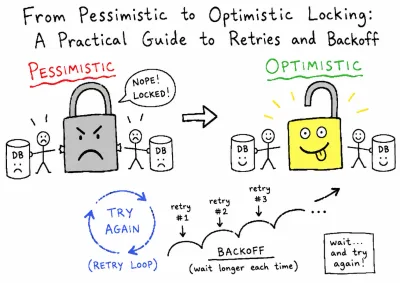
Mastering React Query (TanStack Query) - A Complete Guide to useQuery and useMutation
-
 Jason Yang
 - 05 Nov, 2025
- Updated 04 Jan, 2026
- Views —

Target Audience: React/Next.js Developers, Frontend Architects
Core Topics: Server State Management, Caching Strategies, Optimistic Update Best Practices
1. Introduction: Why TanStack Query (TQ)?
TanStack Query (TQ) is a declarative library designed for managing Server State. When useState and useEffect based async logic starts to clutter your codebase, TQ abstracts away all this tedious boilerplate.
TQ Solves Critical Problems
| Problem | Traditional Approach | TQ’s Solution |
|---|---|---|
| Duplicate API Calls | Each component calls independently | Automatic Caching (based on queryKey) |
| Loading/Error States | Manual useState(false) management | Automatic isLoading, isError status provision |
| Data Inconsistency | Manual refetch calls | Automatic Synchronization via invalidateQueries |
| Poor UX | Full reload upon navigation | Instant Cached Data Display (Stale-while-revalidate) |
2. Core Concepts: Server State & Query Key Design
The first step to mastering TQ is clearly separating Server State from Client State and mastering the addressing system for Server State: the Query Key.
2.1. Server State vs. Client State
| Feature | Server State (Managed by TQ) | Client State (Managed by useState) |
|---|---|---|
| Data Source | External API | Browser/Component Local |
| Sync/Async | Asynchronous (Promise) | Synchronous |
| Reliability | Uncertain (Network errors possible) | Certain |
2.2. Hierarchical Query Key Structure (Architectural Best Practice)
A Query Key is an array that determines the uniqueness of data in the cache. In a real-world application, you should use hierarchical helper functions for clear structure.
// src/constants/queryKeys.ts
export const profileKeys = {
  all: ['profile'] as const,
  // 1. To fetch a specific user's list of languages
  languages: (userId: string) => [...profileKeys.all, 'languages', userId] as const,
  // 2. To fetch a list with filters or search terms
  reports: (filter: ReportFilter) => [...profileKeys.all, 'reports', filter] as const,
}Benefit: When calling invalidateQueries, you can target only ['profile', 'languages'] for invalidation, allowing for precise cache control.
3. useQuery: The Master of Data Reading
useQuery handles caching, data deduplication, and retry logic, making data fetching highly efficient.
3.1. Basic Usage and Return Values
// The useUserLanguages Hook
export function useUserLanguages(userId: string) {
  return useQuery({
    queryKey: profileKeys.languages(userId),
    queryFn: () => apiClient.users.languages.list(userId),
    enabled: !!userId, // ✅ Query only runs when userId is valid (conditional fetching)
    staleTime: 1000 * 60 * 5, // Keep data fresh for 5 minutes
  })
}

// Usage in a Component
const {
  data,          // The fetched data (returns cached data instantly if available)
  isLoading,     // Initial load (when data is **absent**)
  isFetching,    // Background refetching (when data is **present**)
  error
} = useUserLanguages(currentUserId)
3.2. Optimization: Minimizing Renders with select
The select option extracts only the necessary part of the query’s return value, delivering it to the component.
// ❌ Bad: Subscribes to the entire data object, potentially causing unnecessary re-renders
// const { data: languages } = useUserLanguages(userId)
// const languageNames = languages?.map(lang => lang.name)

// ✅ Good: Subscribes only to the extracted list of names. Renders are avoided if other properties of the languages array change but the names remain the same.
const { data: languageNames } = useQuery({
  // ... options
  select: (languages) => languages.map(lang => lang.name).sort(),
})
4. useMutation: Data Modification and Cache Synchronization
useMutation is used for handling asynchronous operations that Create, Update, or Delete data, focusing on synchronizing the cache after a data change.
4.1. Basic Usage and Cache Invalidation
When data changes successfully, we must Invalidate the relevant useQuery cache using queryClient.invalidateQueries to trigger an automatic refetch.
export function useDeleteLanguageMutation(userId: string) {
  const queryClient = useQueryClient()

  return useMutation({
    mutationFn: (languageId: string) => // 1. Send DELETE request to the server
      apiClient.users.languages.delete(userId, languageId),

    onSuccess: () => {
      // 2. On success, invalidate the languages query for this userId (triggers auto-refetch)
      queryClient.invalidateQueries({
        queryKey: profileKeys.languages(userId)
      })
      toast({ title: "Success", description: "Language deleted" })
    },
    onError: (error: any) => {
      // 3. Error handling
      toast({ title: "Error", description: error.message, variant: "destructive" })
    },
  })
}
4.2. mutate vs. mutateAsync
| Function | Characteristic | Recommended Use Case |
|---|---|---|
mutate | Synchronous call, handles state/callbacks (Recommended) | User interactions (Form submission, button click) |
mutateAsync | Returns a Promise, allows external flow control via async/await | When sequential execution of multiple mutations is required |
5. Practical Best Practice: Optimistic Update
The most advanced technique is the Optimistic Update, which improves the user experience by updating the UI immediately without waiting for the server’s response.
5.1. The 3-Step Optimistic Update Flow
1. onMutate (Prepare Rollback):
- Cancel any ongoing queries (
cancelQueries). - Backup the current cache data (
getQueriesData). - Optimistically update the cache directly with the new data (
setQueriesData).
2. onError (Rollback on Failure):
- If failed, restore the cache using the backup data saved in
onMutate(setQueryData).
3. onSettled (Final Synchronization):
- Regardless of success or failure, invalidate the query to finally synchronize with server data (
invalidateQueries).
// Example onMutate logic within a useReportDeleteMutation
onMutate: async (reportId) => {
  await queryClient.cancelQueries({ queryKey: reportKeys.lists() })
  const previousReports = queryClient.getQueriesData({ queryKey: reportKeys.lists() }) // 1. Backup

  queryClient.setQueriesData<any>({ queryKey: reportKeys.lists() }, (old) => {
    // 2. Optimistically remove the reportId
    return { ...old, reports: old.reports?.filter((report) => report.id !== reportId) }
  })

  return { previousReports } // 3. Context for rollback
},
6. Performance Optimization Strategies
6.1. staleTime vs. gcTime (Cache Policy)
staleTime(Freshness Time): The duration a piece of data can be used from the cache without triggering an API call.- Set to 5 minutes: No API call for re-access within 5 minutes (). API call if exceeded ().
gcTime(Garbage Collection Time): The time the cache remains in memory after all components using the query have unmounted.- Set to 30 minutes: If the query is remounted within 30 minutes, the is reset, avoiding a full re-fetch.
6.2. Managing Query Dependencies (enabled)
This is the most certain way to prevent duplicate and unnecessary calls.
// useUserProfile must run first to get the userId before the next query executes
const { data: userProfile } = useUserProfile()

const { data: languages } = useQuery({
  queryKey: ['languages', userProfile?.id],
  queryFn: () => api.getLanguages(userProfile.id),
  enabled: !!userProfile?.id, // 🎯 Only runs when userProfile.id exists
})
7. Conclusion: The Impact of TQ Adoption
By adopting TanStack Query, your development team can focus solely on business logic, instead of repeatedly implementing loading spinners and error boundaries.
| Metric | Before (useState/useEffect) | After (TanStack Query) |
|---|---|---|
| Duplicate Calls | Unsolvable | Automatically Solved (50%+ reduction) |
| Data Synchronization | Manual (await refetch()) | Automatic (invalidateQueries) |
| Development Complexity | Medium (due to async complexity) | Simplified (Declarative API) |
| User Experience | Slow (full reload every time) | Very Fast (instant display of cached data) |
tanstack-query-master-guide-usequery-usemutation
Master TanStack Query (formerly React Query). Learn useQuery for efficient data fetching and caching, and useMutation for server updates, including advanced optimistic updates.